Are You Paying for Five Photography Apps to Do One Job? Let's See the Receipts.
Your subscriptions have formed a committee. It meets monthly, inside your bank account, and nobody invited you.
Your bank account has started a group chat…
So, open your banking app and scroll to the subscriptions. Go on. I'll wait. The quickest way to see your real photography software cost is to list every app, what it charges and the job it does. Five small numbers. One very athletic yearly total.
Short answer: List every paid app, what it really costs you each month and the job it does. Add up the yearly total, spot genuine overlap, then compare pricing, limits and switching effort before you cancel anything. Keep the specialist editing software you actually need.
Nobody plans this. It starts innocently. A gallery to deliver photos. A CRM for bookings. A website builder. Something for invoices. Editing software, obviously.
Then one more, sold to you by a man drinking suspiciously calm coffee, promising a peaceful inbox.
Individually? Sensible. Together? A small payroll department.

I'm a photographer and I build Veyra, so I've thought about this more than is healthy. Subscriptions aren't evil. But paying two apps for the same admin, then doing the admin yourself anyway?
That's comedy. Expensive comedy.
The price you remember is not the price you pay…
Open your subscriptions and your bank statements, not your memory. Your memory says “it's like £9.99”. Your bank says it's been £29.99 for a while, and there's a £12 one you forgot you ever signed up for.
Write down what each app charges in your currency, whether it bills monthly or yearly, and what you actually use it for. Turn yearly prices into a monthly figure so you're comparing like with like.
Then multiply by twelve. Sit down first.

The free photography software cost calculator adds it all up from your own numbers. The example figures in it are made up on purpose. We're not going to invent other people's prices and call it research.
Which apps are overlapping, and which ones are specialists?
Split the list in two: apps that make the work, and apps that run the business around the work.
Your editing software is not a gallery. Your colour tool is not a CRM. Anyone who says one app replaces your editor and your accountant is selling something.
Possibly me. I'll get to that.
Now look at the admin side. The couple's names in the enquiry. Again on the invoice. Again on the project board. Again in the gallery email, spelt differently this time.
That's where connected tools actually save you something.
So ask honestly: am I paying twice for the same feature, or once each for two different jobs? Only the first one is a problem.
Are You Paying for Five Photography Apps to Do One Job? Let's See the Receipts.
Take the idea into a real project. The editable tool runs in your browser, with no Veyra signup needed.
Open the free tool ↗Switching apps is moving house. Budget for the boxes…
A tool can look cheaper on a pricing page and still be wrong for you. Check your real storage needs, file types, how downloads feel for clients, permissions, exports, and what happens when a big upload fails with one file left.
Then count the cost of moving your records and teaching yourself a new way of working. Time is money too. Annoyingly.
Current yearly spend. Features you genuinely pay for twice. Specialist tools you're keeping. Data export. A trial run on a project with nothing sensitive in it. What your client sees. Plan limits. Support. Then, and only then, the monthly price.

Small confession: I sell one of the options…
Veyra is in this conversation because I build it. That's a conflict of interest, and I'd rather say it out loud than bury it under a “Top 10 apps” list with my own app at number one.
Veyra puts client projects, money, galleries and a website in one studio, with different features on different plans. Check today's actual prices and our comparison pages instead of assuming it replaces everything. It doesn't.
If a specialist tool does one important thing beautifully, keep it. The goal is a lighter month, not a new hobby called Migrating.
Do one real job, then look at the receipts again…
Pick a recent project. Trace it from enquiry to quote, invoice, editing, delivery and follow up. Every time you typed the same information twice, make a mark.
Lots of marks? That's your answer. Hardly any? Congratulations. Keep your setup and close this tab.
The Veyra screenshot below is the real studio workspace, not a promise about your savings. Put your own numbers in the free tool and decide what the time and money are worth to you.
Then open the bank statement again.
This time, at least, the numbers won't be wearing disguises.

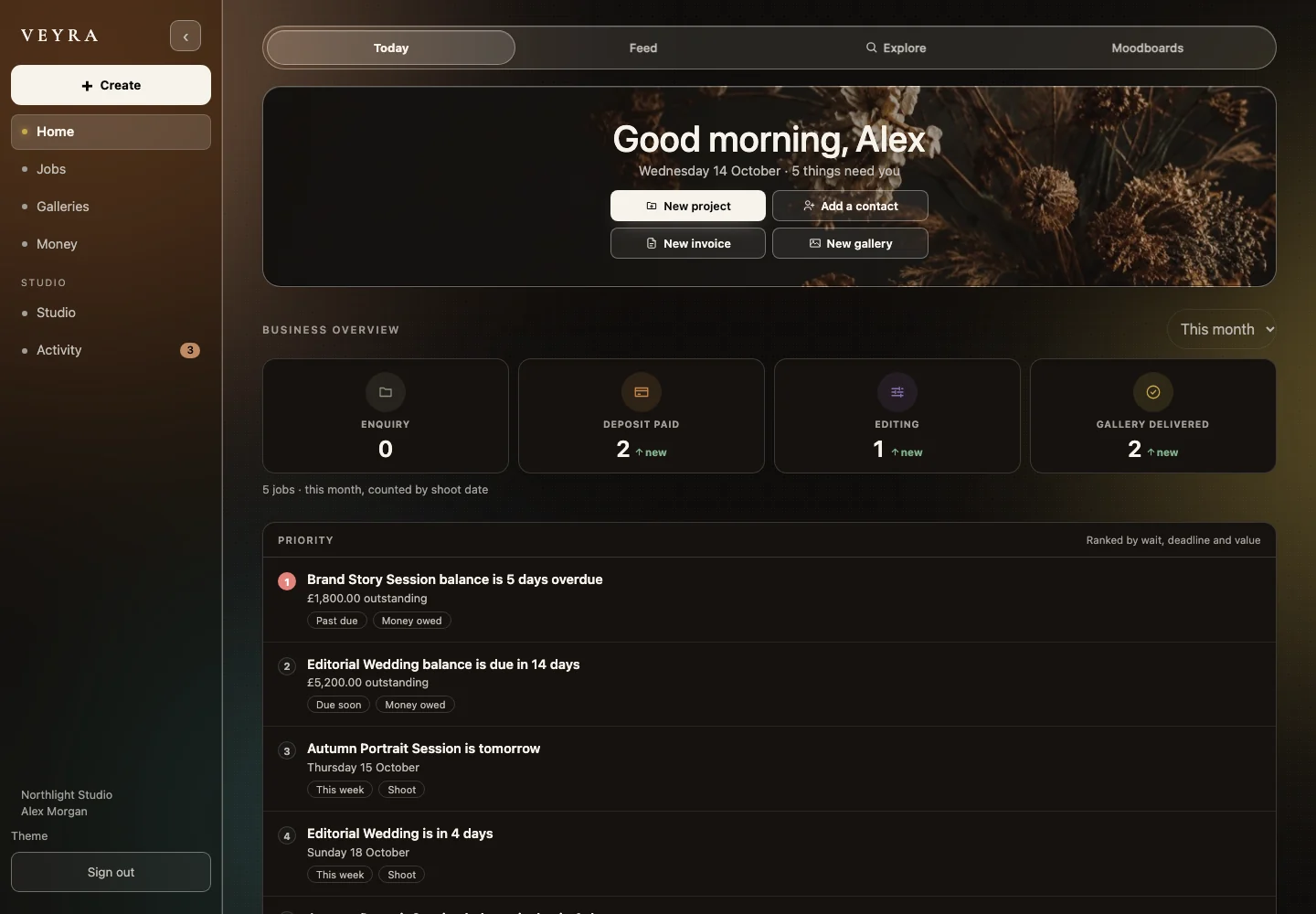
Explore the real features, not a fictional mockup. See this part of Veyra →
Discussion
Thoughts, questions or something you would add?