How to Organise Creative Client Projects Without Living in Five Apps
Your brief is in email, the deadline is in a chat, and the final files are in a folder called “FINAL_final_3”. Here’s a better way to work.
The client wants “that file”. You know the one.
“Hey! Could you resend the revised version?”
Absolutely. No problem. Which revised version? The one in the email from Wednesday, the one in the WhatsApp chat, or the PDF called final_FINAL_new2 that lives somewhere between your Downloads folder and a mild existential crisis?
If you run a creative business, this scene needs no introduction. A project starts as one lovely idea. Then comes the brief, a reference board, a date change, an invoice, a new contact, twelve files and a client who understandably thinks you have all of it organised. You might even have it organised. Just not in a way that can be explained to a second human.
The problem is rarely that you are lazy or disorganised by nature. It is that your work has more moving parts than your tools admit.
What running a photography studio taught me about “the job”.
At The First Studios, photographing the actual session is only one part of the job. There is the enquiry before it, the planning around it, the editing afterwards, the payment to reconcile and the gallery the client has been waiting for.
And yes, the pictures matter enormously. But a photograph does not magically email itself to the right client, confirm the correct payment stage and mark the project delivered. I checked.
That is part of why I started building Veyra. Not because I wanted another beautiful dashboard to admire. Because a creative business needs a memory outside the founder’s head. My head is already employed doing several other jobs.
Give every client project one place to land.
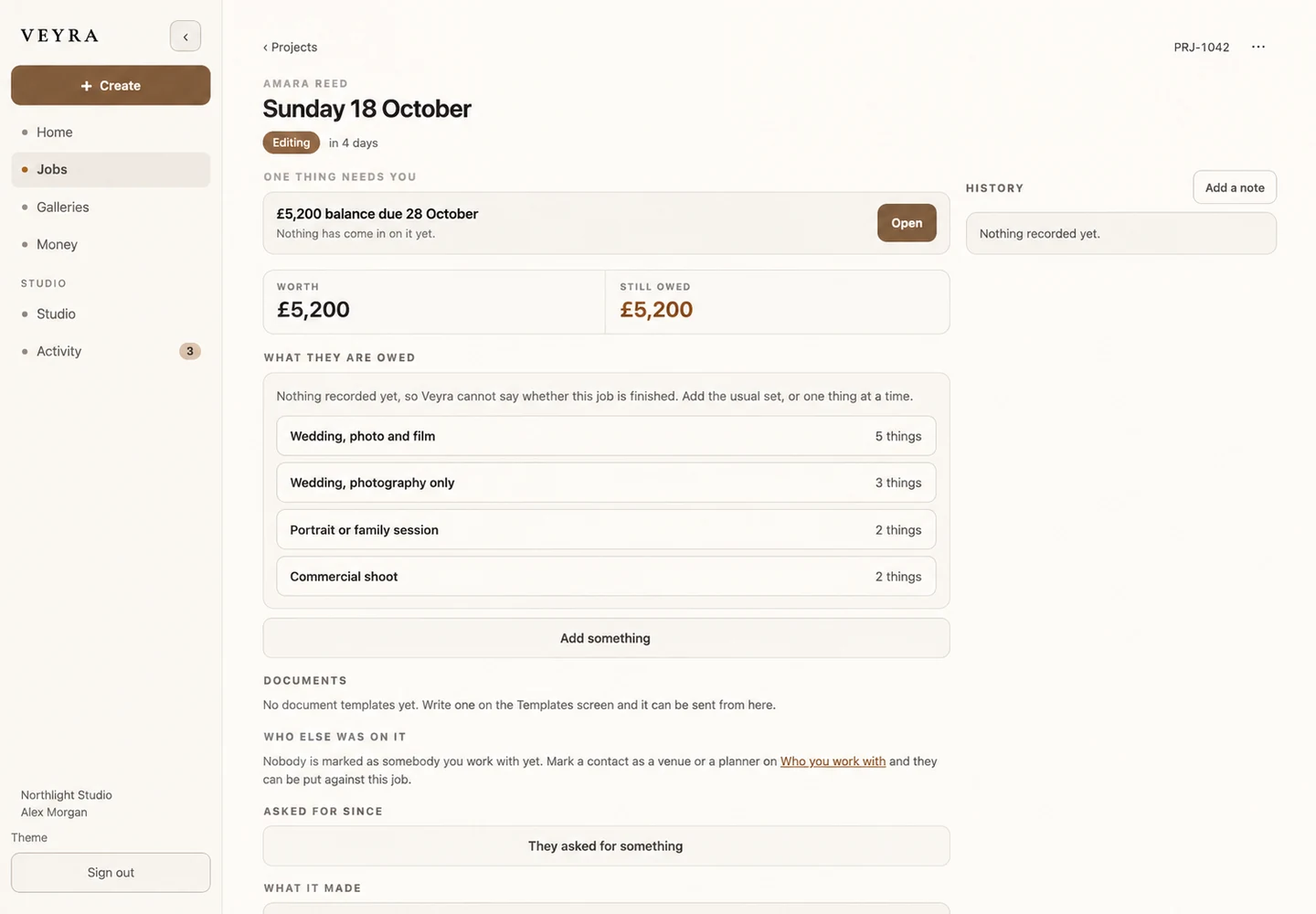
One project record should tell you the essentials: who the work is for, what was agreed, the next date, where the files are, what has been paid and what happens next.
You do not have to store every document or image in exactly the same app. You do need a dependable starting point that tells you where to find everything. Otherwise a five-minute status check becomes a tour of all the apps installed since 2019.
If you are starting from scratch, keep the setup plain. A client name. A clear project title. A few dates. A next action. Make the boring details easy to find; you will thank yourself when a client calls during a shoot.
Make your stages reflect real life, not a productivity influencer.
Try stages like enquiry → quoted → confirmed → in progress → editing → delivered. If you make brand films rather than weddings, your middle stages might be briefing, production and revisions. That is fine. Your process should fit your work, not somebody else’s Notion template.
There is a special kind of optimism in a board with 14 perfect columns, 28 colour codes and a status called “Awaiting Inner Alignment”. The first time a client moves the date, the whole thing falls over.
Good systems are simple enough to survive a normal Tuesday.
Connect the details that already belong together.
The client who sent the brief is the same client on the invoice. The event date belongs to the same project as the editing deadline. The final gallery should not feel like an unrelated product dropped from the sky.
In Veyra, the idea is to keep clients, projects, invoices and galleries connected. You can look at the client and project workflow on the main website, rather than taking my word for how I think it should feel.
When these things talk to one another, you do less duplicate entry, less hunting and less accidentally working from last week’s information. You also get back a surprising amount of mental space.
Delivery is part of the experience.
Picture this: you have finished a gallery. The files look lovely. Your client should be enjoying them, sharing them, maybe sending a little voice note to their family. They should not need three emails explaining where the download button went.
We have put a lot of care into Veyra’s client galleries because delivery is not the boring part after the creative work. It is the moment the client finally gets to experience it.
Organise the files, label the gallery clearly, check the links and send a message with one obvious next step. Future referrals have been won and lost over less exciting things than a smooth delivery.
Do less managing. Make more things.
You do not need to become a project-management enthusiast to run a good creative business. Some of us got into this because we liked making things, not because we dreamed of renaming spreadsheet tabs.
Here is the useful test: could you open a job right now and tell someone what happens next, without searching four conversations? If not, choose one active job and put the essential details together today.
That is where good organisation begins. Not with a new 90-day productivity routine. Just with fewer mysteries between the work and the people you made it for.
Discussion
Thoughts, questions or something you would add?